This Is How We Do It : How to install S3′s Touchwiz launcher in Galaxy R

This Is How We Do It : How to install S3s Touchwiz launcher in Galaxy R Update S3 touchwiz launcher install ICS Galaxy R

This Is How We Do It : How to install S3s Touchwiz launcher in Galaxy R Update S3 touchwiz launcher install ICS Galaxy R

Last week I told you all how to update your Galaxy R to ICS. Again, I want to remind the users that there is no final build released yet so its up to you if you can take the risk. Moreover, some of the users have bricked their devices while doing CWM restore. I’ll suggest you to not to wipe cache or dalvik memory or even factory reset or data wipe if you are on ICS. The kernel still has some bugs.

                         This Is How We Do It : How to install S3s Touchwiz launcher in Galaxy R Update S3 touchwiz launcher install ICS Galaxy R         This Is How We Do It : How to install S3s Touchwiz launcher in Galaxy R Update S3 touchwiz launcher install ICS Galaxy R

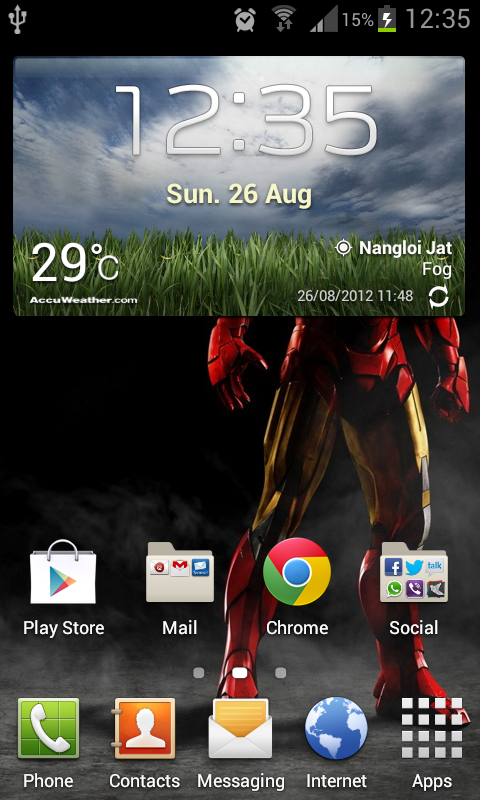
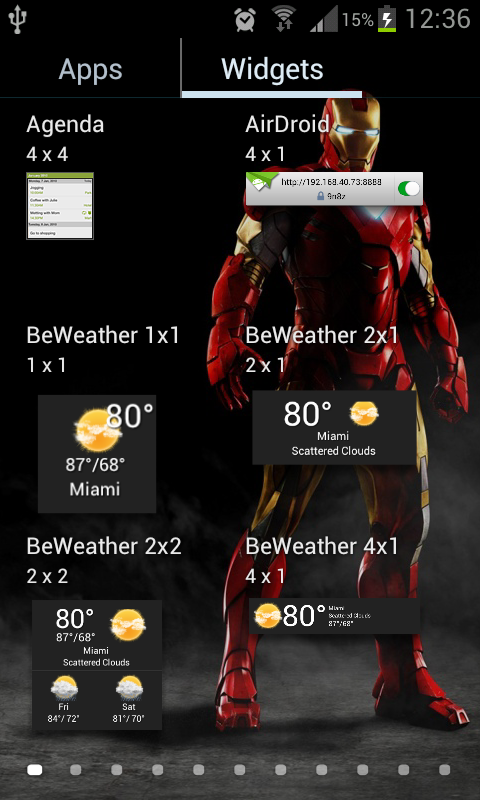
This week at ‘This is How We Do It’ we will be upgrading the same Touchwiz launcher to that of the Galaxy S3′s. Even after upgrading to ICS users got the looks. It was the same Touchwiz launcher as that was on Gingerbread so our developers at XDA built the S3′s Touchwiz compatible for this device.

PS: This guide is only valid for those who have upgraded their device to ICS (like me).

  1. Download two files named widgets.zip and UX launcher.zip.
  2. Boot the device into recovery mode.
  3. From the menu select install from zip.
  4. First install UX launcher.zip and then Widgets.zip
  5. Reboot your device. It will take few minutes to upgrade the stuff and there you will have the smooth touchwiz launcher with better transitions.

For more info visit, XDA forums thread.

This Is How We Do It : How to install S3s Touchwiz launcher in Galaxy R Update S3 touchwiz launcher install ICS Galaxy R

About Hans Gogia


Hans is a linux geek and an open source enthusiast, trying to shift to FOSS. He is a CS undergraduate, a programmer who recently got into android.


Source : XDA-developers forum

Related Posts:

Posted under: Editorial, This is how we do it

Tagged as: , , , , ,

About Hans Gogia

Hans is a linux geek and an open source enthusiast, trying to shift to FOSS. He is a CS undergraduate, a programmer who recently got into android.

4 comments

Leave a Reply

Your email address will not be published. Required fields are marked *

You may use these HTML tags and attributes: <a href="" title=""> <abbr title=""> <acronym title=""> <b> <blockquote cite=""> <cite> <code> <del datetime=""> <em> <i> <q cite=""> <strike> <strong>