This Is How We Do It: How to receive and send emails of any other email account from Gmail

This Is How We Do It: How to receive and send emails of any other email account from Gmail Yahoo smtp pop3 imap Hotmail Gmail Email configure
We all have multiple email accounts, one from each domain or many. But it becomes difficult to manage all these accounts. If you have tried to then you know in the end we loose their passwords or usernames. Most of you don’t know that we can configure emails accounts to use POP3 access to send and receive emails from some other email ID. First of all, you should know what’s POP3, IMAP, and SMTP are. Do a quick Google search, then come back. This week we will discuss how to configure other email accounts to send and receive emails via a single Gmail account. You can configure Yahoo, Hotmail, or even any other Gmail account to send or receive emails on a Gmail ID.

Let’s begin

  1. Sign in into the email account which needs to be forwarded to Gmail.
  2. Go to settings/options and enable POP3 access.
  3. Log in into the Gmail account.
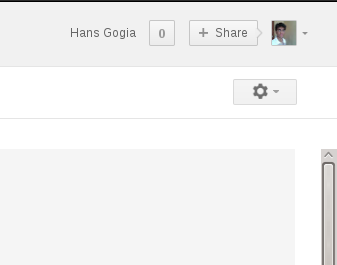
  4. See a gear on top right? Click and go to settings.This Is How We Do It: How to receive and send emails of any other email account from Gmail Yahoo smtp pop3 imap Hotmail Gmail Email configure
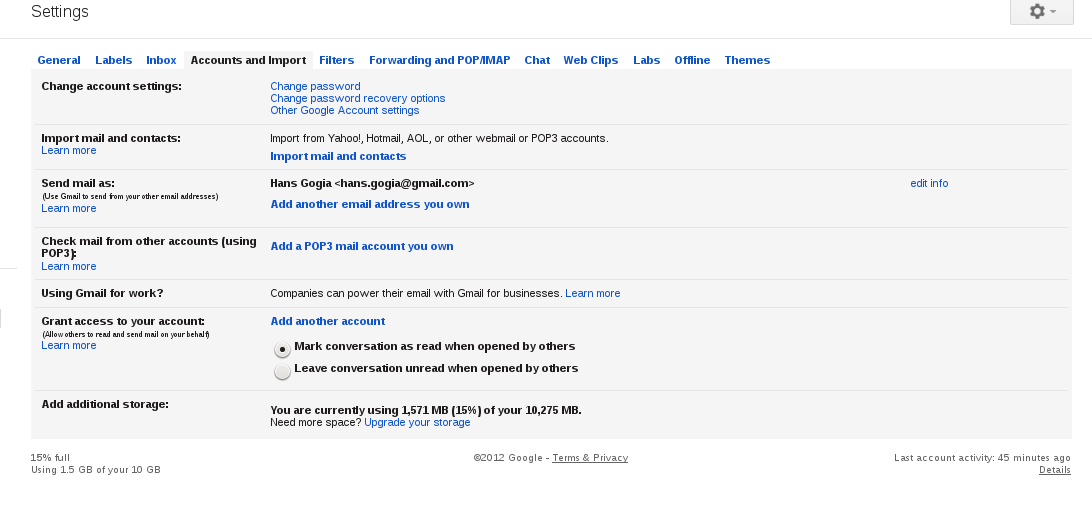
  5. Now click on the Accounts and import tab.This Is How We Do It: How to receive and send emails of any other email account from Gmail Yahoo smtp pop3 imap Hotmail Gmail Email configure
  6. Click on Add a POP3 mail account you own. This brings up a popup window.This Is How We Do It: How to receive and send emails of any other email account from Gmail Yahoo smtp pop3 imap Hotmail Gmail Email configure
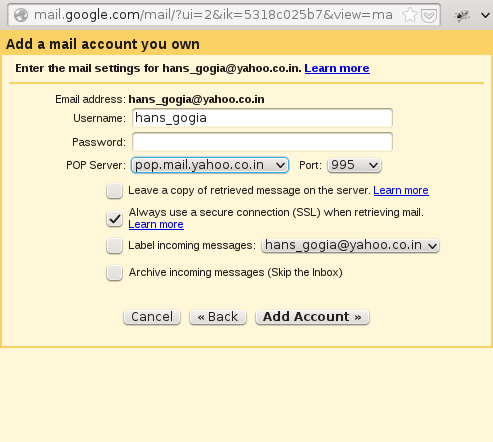
  7. Enter the email id and click next.This Is How We Do It: How to receive and send emails of any other email account from Gmail Yahoo smtp pop3 imap Hotmail Gmail Email configure
  8. Now enter the password, check what other options you need to change and click next.This Is How We Do It: How to receive and send emails of any other email account from Gmail Yahoo smtp pop3 imap Hotmail Gmail Email configure

So This Is How We Do It. You can also configure Gmail to send and receive emails from any other email account. Still left with any queries? Do let us know in the comments below.

This Is How We Do It: How to receive and send emails of any other email account from Gmail Yahoo smtp pop3 imap Hotmail Gmail Email configure

About Hans Gogia


Hans is a linux geek and an open source enthusiast, trying to shift to FOSS. He is a CS undergraduate, a programmer who recently got into android.

Related Posts:

Posted under: Editorial, This is how we do it

Tagged as: , , , , , , ,

About Hans Gogia

Hans is a linux geek and an open source enthusiast, trying to shift to FOSS. He is a CS undergraduate, a programmer who recently got into android.

Leave a Reply

Your email address will not be published. Required fields are marked *

You may use these HTML tags and attributes: <a href="" title=""> <abbr title=""> <acronym title=""> <b> <blockquote cite=""> <cite> <code> <del datetime=""> <em> <i> <q cite=""> <strike> <strong>