News: Samsung Galaxy S III gets an OTA update, brings brightness slider to notifications menu

News: Samsung Galaxy S III gets an OTA update, brings  brightness slider to notifications menu Update Samsung OTA update Galaxy S III brightness slider Android

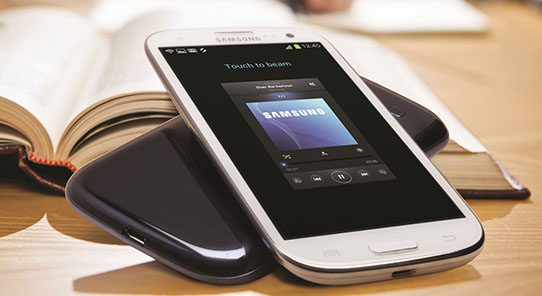
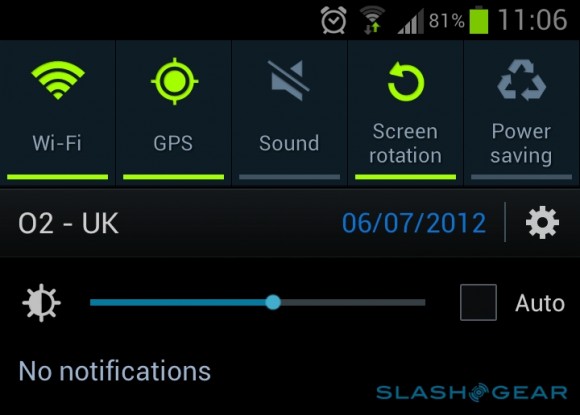
We had heard various reports that the Galaxy S III’s automatic brightness always defaults to too low a level and it seems Samsung has heard the complaint from the users as our beloved Samsung flagship, the Galaxy S III is now getting an OTA update which is said to bring improved stability and adds a dedicated brightness slider control to the notification area, which allows users to set a level manually, or enable auto-brightness.
News: Samsung Galaxy S III gets an OTA update, brings  brightness slider to notifications menu Update Samsung OTA update Galaxy S III brightness slider Android

The 72.68MB update is right now only available for international Galaxy S III users but we hope this update comes to the US versions soon. The brightness slider widget in the notifications area is more than welcome because we hate to dig through the Android settings menu to go and adjust the brightness.




News: Samsung Galaxy S III gets an OTA update, brings  brightness slider to notifications menu Update Samsung OTA update Galaxy S III brightness slider Android

About Rupesh Sinha


Rupesh is an avid mobile geek, a Nokia fan by heart although love Android because it appeals to the geek in him. Apart from phones, he loves music and also plays the guitar. Now a nigh time news editor, along with a daytime engineering student.


Source : Slashgear

Related Posts:

Posted under: Android, Firmware update, News, Phones, Samsung

Tagged as: , , , , ,

About Rupesh Sinha

Rupesh is an avid mobile geek, a Nokia fan by heart although love Android because it appeals to the geek in him. Apart from phones, he loves music and also plays the guitar. Now a nigh time news editor, along with a daytime engineering student.

Leave a Reply

Your email address will not be published. Required fields are marked *

You may use these HTML tags and attributes: <a href="" title=""> <abbr title=""> <acronym title=""> <b> <blockquote cite=""> <cite> <code> <del datetime=""> <em> <i> <q cite=""> <strike> <strong>