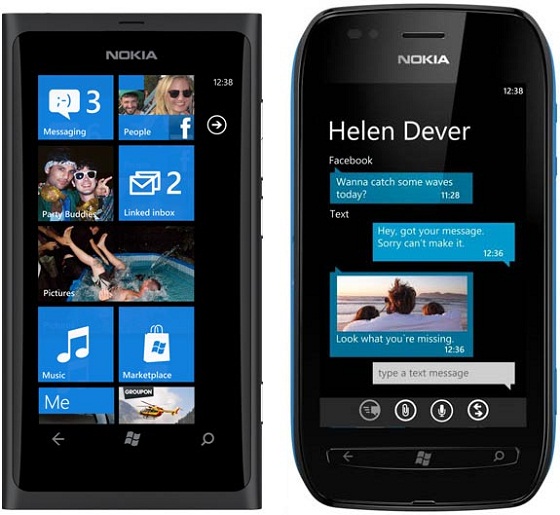
News: Nokia Lumia 800 and Lumia 710 to get the mobile WiFi hotspot feature soon

News: Nokia Lumia 800 and Lumia 710 to get the mobile WiFi hotspot feature soon WiFi Hotspot Capability WiFi hotspot Update Tethering Nokia Lumia 800 Lumia 710 Lumia

Just yesterday we brought you the news that the low end Lumia 610 is getting advertised by Nokia to feature the WiFi hotspot functionality which seemed quite strange to us since its older and superior siblings the Lumia 800 and Lumia 710 don’t feature the same but we also pointed out that Nokia might be planning to bring this functionality with an update and today it has turned out to be true.

Nokia revealed on the FAQ section of it’s website that it plans to bring the WiFi hotspot feature for both the Lumia 710 and Lumia 800 via a Zune update and it is “coming soon”. Now this update maybe just round the corner since Nokia’s latest Windows Phones including the low-end Lumia 610 and high-end Lumia 900 have the tethering ability.


News: Nokia Lumia 800 and Lumia 710 to get the mobile WiFi hotspot feature soon WiFi Hotspot Capability WiFi hotspot Update Tethering Nokia Lumia 800 Lumia 710 Lumia

News: Nokia Lumia 800 and Lumia 710 to get the mobile WiFi hotspot feature soon WiFi Hotspot Capability WiFi hotspot Update Tethering Nokia Lumia 800 Lumia 710 Lumia

About Rupesh Sinha


Rupesh is an avid mobile geek, a Nokia fan by heart although love Android because it appeals to the geek in him. Apart from phones, he loves music and also plays the guitar. Now a nigh time news editor, along with a daytime engineering student.


Sources :

Related Posts:

Posted under: News, Nokia, Phones, Windows

Tagged as: , , , , , , ,

About Rupesh Sinha

Rupesh is an avid mobile geek, a Nokia fan by heart although love Android because it appeals to the geek in him. Apart from phones, he loves music and also plays the guitar. Now a nigh time news editor, along with a daytime engineering student.

Leave a Reply

Your email address will not be published. Required fields are marked *

You may use these HTML tags and attributes: <a href="" title=""> <abbr title=""> <acronym title=""> <b> <blockquote cite=""> <cite> <code> <del datetime=""> <em> <i> <q cite=""> <strike> <strong>