Install or Not: BeBuzz

Install or Not: BeBuzz LED notification Install Or Not front customize Bebuzz

Install or Not: BeBuzz LED notification Install Or Not front customize Bebuzz


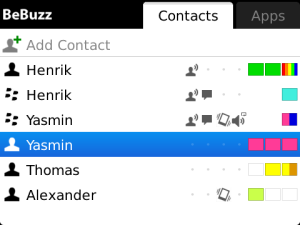
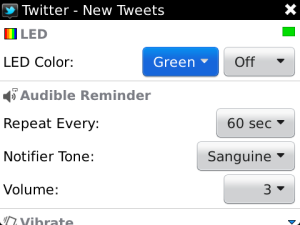
Have you ever thought to control the LED notifications as per your need? Red for calls, blue for messages, green for BBM, and orange for app notifications?
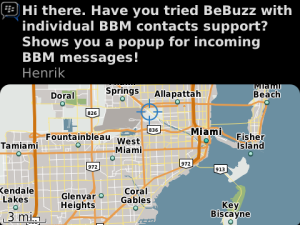
Yes, with the use of Bebuzz now you can customize and control your BlackBerry® front notification LED for specific contacts. Give a look at its features below.


Features :

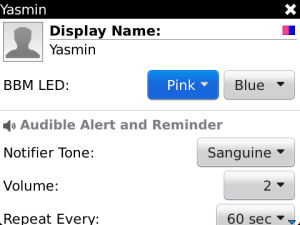
  • Choose from 20 predefined solid LED and 12 rapid flashing DISCO LED COLORS
  • Assign colors for E-Mails, SMS, BBM and Calls from your FAVORITE CONTACTS, see who it is that is contacting you
  • The FULL version gives you UNLIMITED CONTACTS while the FREE version is limited to just 5 contacts.
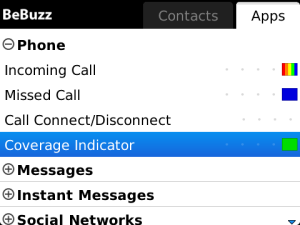
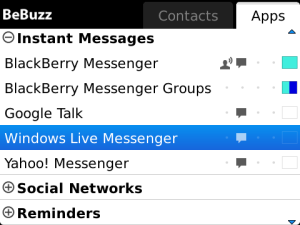
  • Assign colors for BlackBerry Messenger, Facebook, Twitter, Missed Calls, Calendar, Tasks, Battery and many 3rd party apps
  • Create an unlimited number of CUSTOM LED COLORS and DISCOS
  • STACK 2 LED COLORS for even more color variations
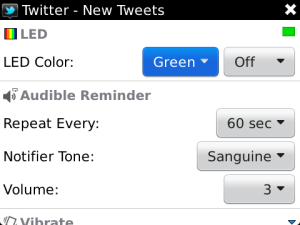
  • Repeating Notifiers: Keep your phone’s audible notifiers repeating until you acknowledge them
  • On-Screen Popup Notifiers: Unobtrusive on-screen messages (“toasts”) for messages and events
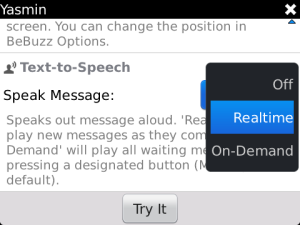
  • Text-to-Speech: BeBuzz will read your messages out aloud, even BBM messages!
  • Vibrate-While-Ringing: Have vibrate while ringing for notifiers and incoming calls.
  • Vibrate/sound on call connect/disconnect
  • Fully customizable and doesn’t drain your battery!

Install or Not :

BlackBerry® front notification LED is its one of the prominent features. Customizing this with respect to a contact or a group is really one big task and the developer Bellshare GmbH has done so. This application have been awarded with many titles and is totally worth trying. It is available for download for $2.99 from the Blackberry App World. A free variant is also available but that has some limited features.

Install or Not Scorecard
User friendlyInstall or Not: BeBuzz LED notification Install Or Not front customize Bebuzz Install or Not: BeBuzz LED notification Install Or Not front customize Bebuzz Install or Not: BeBuzz LED notification Install Or Not front customize Bebuzz Install or Not: BeBuzz LED notification Install Or Not front customize Bebuzz Install or Not: BeBuzz LED notification Install Or Not front customize Bebuzz
PerformanceInstall or Not: BeBuzz LED notification Install Or Not front customize Bebuzz Install or Not: BeBuzz LED notification Install Or Not front customize Bebuzz Install or Not: BeBuzz LED notification Install Or Not front customize Bebuzz Install or Not: BeBuzz LED notification Install Or Not front customize Bebuzz Install or Not: BeBuzz LED notification Install Or Not front customize Bebuzz
AppearenceInstall or Not: BeBuzz LED notification Install Or Not front customize Bebuzz Install or Not: BeBuzz LED notification Install Or Not front customize Bebuzz Install or Not: BeBuzz LED notification Install Or Not front customize Bebuzz Install or Not: BeBuzz LED notification Install Or Not front customize Bebuzz Install or Not: BeBuzz LED notification Install Or Not front customize Bebuzz
OverallInstall or Not: BeBuzz LED notification Install Or Not front customize Bebuzz Install or Not: BeBuzz LED notification Install Or Not front customize Bebuzz Install or Not: BeBuzz LED notification Install Or Not front customize Bebuzz Install or Not: BeBuzz LED notification Install Or Not front customize Bebuzz Install or Not: BeBuzz LED notification Install Or Not front customize Bebuzz

Install or Not: BeBuzz LED notification Install Or Not front customize Bebuzz

About Hans Gogia


Hans is a linux geek and an open source enthusiast, trying to shift to FOSS. He is a CS undergraduate, a programmer who recently got into android.


Source : Blackberry App World

Related Posts:

Posted under: Apps, Blackberry Apps, Reviews

Tagged as: , , , ,

About Hans Gogia

Hans is a linux geek and an open source enthusiast, trying to shift to FOSS. He is a CS undergraduate, a programmer who recently got into android.

Leave a Reply

Your email address will not be published. Required fields are marked *

You may use these HTML tags and attributes: <a href="" title=""> <abbr title=""> <acronym title=""> <b> <blockquote cite=""> <cite> <code> <del datetime=""> <em> <i> <q cite=""> <strike> <strong>